Introduction to Networks
Week 2 — Network Topologies & Networking Devices
Reza Farashahi — NZSE
Network Topologies
Session 1 — Physical & Logical Layouts
Physical vs. Logical Topologies
- Physical topologies describe the placement of network devices and how they are physically connected.
- Logical topologies describe how data flows throughout a network.
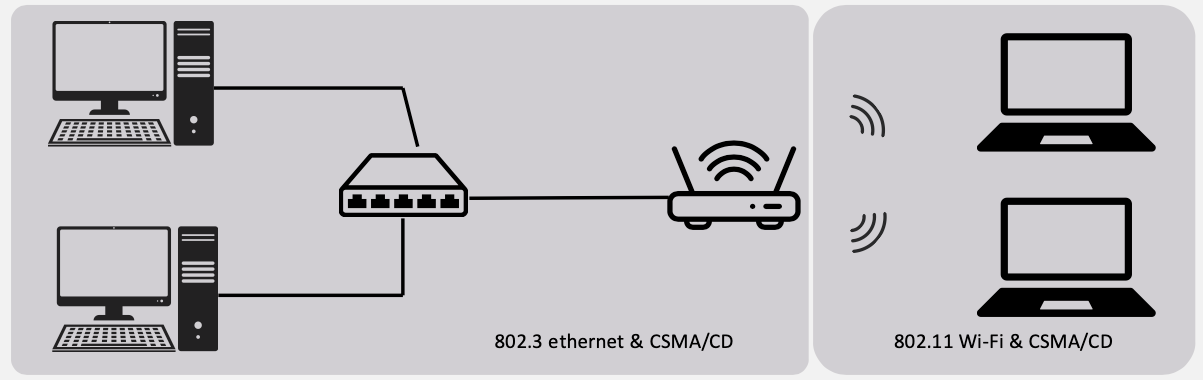
802.3 Ethernet — CSMA/CD
- Carrier Sense Multiple Access / Collision Detection
- Used in wired networks
- Before sending, a device listens to check if the cable is free
- If two devices send at the same time → collision is detected → both stop, wait a random time, and retry
- Think of it like a hallway: you look before you walk, and if you bump into someone, you both stop and try again
802.11 Wi-Fi — CSMA/CA
- Carrier Sense Multiple Access / Collision Avoidance
- Used in wireless networks
- Collisions are harder to detect over radio, so devices try to avoid them instead
- A device listens first, then sends a short "request to send" signal before transmitting data
- Think of it like raising your hand before speaking in class — you wait for permission to avoid talking over someone
Wired Network Topologies
There are four main wired network topologies:
- Bus — All devices on a single cable
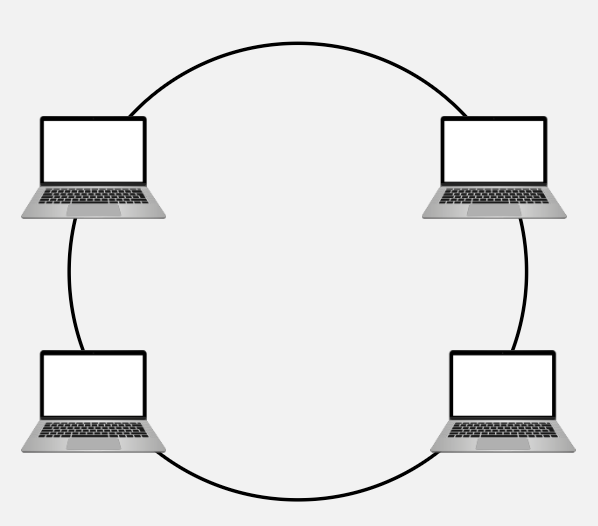
- Ring — Devices connected in a circular loop
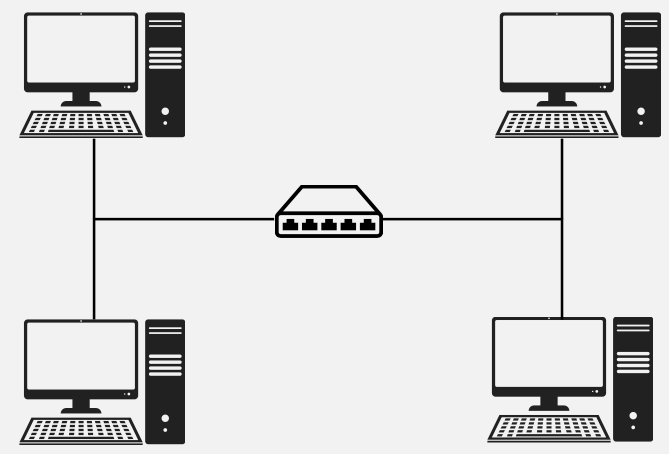
- Star — All devices connected to a central device
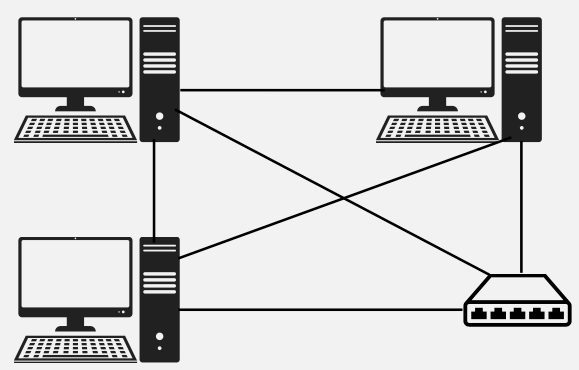
- Mesh — Every device connected to every other device
Each topology has its own advantages, disadvantages, and use cases. Let's explore each one.
Bus Topology
- All devices are connected to a single coaxial network cable.
- Devices are connected via a vampire tap or T-Connector.
- Terminators are required at both ends of the cable to prevent signal bounce.
- Only one device can be active on the network at a time — data signals travel in both directions and are received by all devices.
- A single break in the cable can take down the entire network.
- Considered antiquated technology — rarely used in modern networks.

Ring Topology
- All devices are connected in a circular fashion.
- Each computer is connected to two other computers.
- Data travels from node-to-node, either unidirectional or bidirectional.
- Each device (node) in the ring regenerates the signal, acting as a repeater.
- Failure of a single node can take down the entire network.
- FDDI (Fiber Distributed Data Interface) uses two counter-rotating ring topologies for redundancy.
Star Topology
- All devices are connected to a central connecting device, which is usually a switch.
- Devices send data to the switch, which forwards it to the appropriate destination device.
- The most popular topology in today's networks — used in most large and small networks.
- Central device is a single point of failure — if the switch goes down, the entire network goes down.
Example: Your home or office network likely uses a star topology — all devices connect to a central router/switch.
Mesh Topology
- Each device is connected to every other device by separate cabling.
- Highly redundant and fault-tolerant — if one link fails, data can take another path.
- Expensive to install due to the large amount of cabling required.
- Commonly used in Enterprise Networks and WANs.
Two Types:
- Partial Mesh — Some devices are connected to all others, but not every device has a direct connection to every other device.
- Full Mesh — Every device is directly connected to every other device on the network.
Wired Topology Comparison
Bus & Ring
- Bus: Simple & cheap, but a single cable failure breaks everything. Legacy technology.
- Ring: Ordered data flow with built-in signal regeneration, but a single node failure can bring the network down.
Star & Mesh
- Star: Easy to manage and troubleshoot. Most popular today. Central device is the single point of failure.
- Mesh: Maximum redundancy and reliability. Expensive but ideal for critical enterprise and WAN connections.
Quiz: Wired Topologies
Which wired topology connects all devices to a single central switch?
Wireless Network Topologies
Ad Hoc, Infrastructure & Mesh
Wireless Network Topologies
Wireless networks utilise radio frequencies (RF) to communicate instead of physical cables.
There are three main wireless topologies:
- Ad Hoc — Direct device-to-device communication
- Infrastructure — Devices connect through a central access point
- Mesh — Multiple access points create a robust network
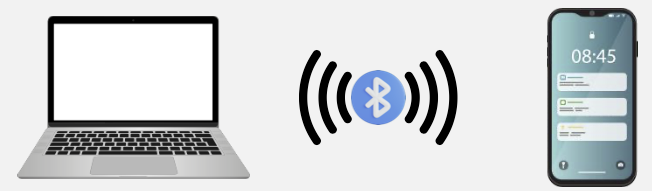
Ad Hoc Wireless Network
- A peer-to-peer (P2P) wireless network where no wireless access point (WAP) infrastructure exists.
- Devices communicate directly with one another.
- Personal area networks (PANs) are a common example of ad hoc wireless networks.
Real-World Examples:
- Apple AirDrop between iPhones
- Bluetooth file sharing between devices
- Wi-Fi Direct for printing
Infrastructure Wireless Network
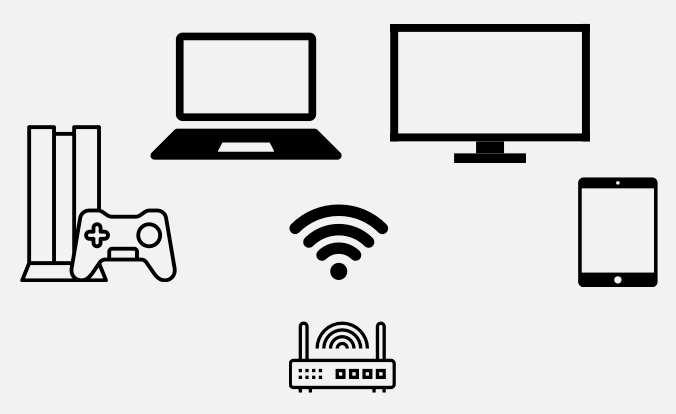
- A wireless network that uses a wireless access point (WAP) as its central connecting device.
- Infrastructure wireless networks (WLANs) are commonly used in homes and small offices.
- All wireless devices connect to the WAP, which then bridges traffic to the wired network.
Example: Your home Wi-Fi network — your laptop, phone, and smart TV all connect to the Wi-Fi router (which contains a WAP).
Wireless Mesh Network
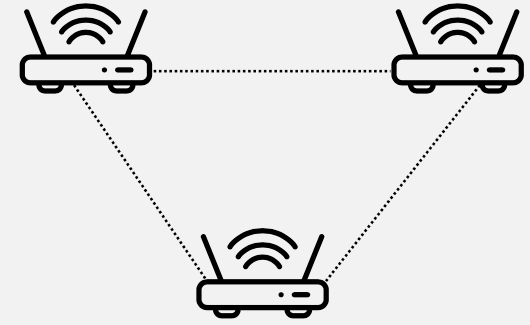
- Just like a wired mesh, wireless mesh networks utilise several wireless access points (nodes) to create a robust network that is:
- Scalable — easily add more nodes to extend coverage
- Self-Healing — if one node fails, traffic reroutes automatically
- Reliable — built-in redundancy across multiple paths
Common in larger homes and businesses.
Wireless Topologies in Everyday Life
You probably use all three wireless topologies without even realising it:
Ad Hoc
- AirDrop between iPhones
- Bluetooth headphones pairing
- Wi-Fi Direct to a printer
Infrastructure & Mesh
- Your home Wi-Fi router = Infrastructure
- Google Nest Wifi or TP-Link Deco = Mesh
- University campus Wi-Fi with many APs = Mesh
Quiz: Wireless Topologies
Which wireless topology uses multiple access points to create a self-healing, scalable network?
Networking Devices
Session 2 — Hardware That Makes Networks Work
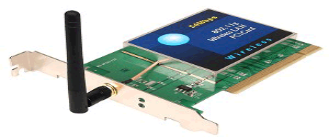
Network Interface Card (NIC)
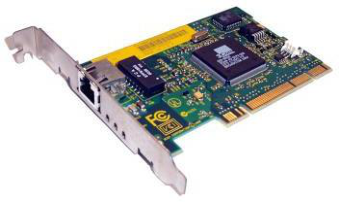
- The network adapter installed on your network device.
- Provides the physical and electrical, light or radio frequency connections to the network media.
- It can either be an expansion card, USB device, or built directly into the motherboard.
Every device that connects to a network needs a NIC — it's the hardware that makes network communication possible.
Hubs
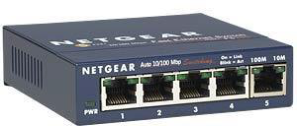
- Used to connect devices together within a network.
- Known as a "Multi-Port Repeater" — traffic goes in one port and is repeated (broadcasted) out every other port.
- OSI Layer 1 device — operates at the Physical layer.
- A "dumb" network device — has no intelligence about where data should go.
- Causes increased network collision errors.
- Much less efficient than a switch.
- Legacy equipment — no longer used in modern networks.
Switches
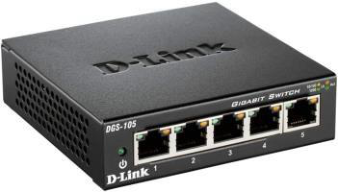
- Connects devices together just like a hub, but much smarter.
- Intelligent network device — operates at OSI Layer 2 (Data Link).
- Memorises the MAC address of each connected device via a MAC Address Table (also called a Content Addressable Memory / CAM Table).
- Pays attention to source and destination MAC addresses during communication.
- Uses ASIC (Application-Specific Integrated Circuitry), making them extremely fast.
- Breaks up collision domains — traffic goes in one port and out to only the destination port.
- Standard in today's network infrastructure.
Quiz: MAC Addresses
Question 1: Which of the following is a valid MAC address format?
Question 2: Can a MAC address be changed?
Hub vs. Switch — What's the Difference?
Hub (Layer 1)
- Broadcasts data to all ports
- No awareness of MAC addresses
- Creates collisions on the network
- "Dumb" device — no decision making
- Legacy / obsolete equipment
Switch (Layer 2)
- Sends data only to the destination port
- Learns and stores MAC addresses (CAM table)
- Breaks up collision domains
- "Intelligent" device — makes forwarding decisions
- Standard in modern networks
Quiz: Hubs vs. Switches
What makes a switch more efficient than a hub?
Wireless Access Point (WAP)
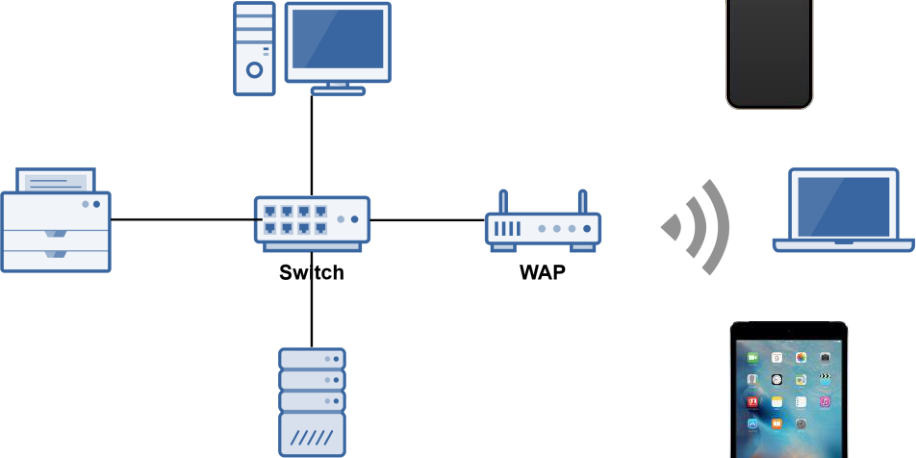
- A WAP is a bridge that extends the wired network to the wireless network.
- Just like a switch, it's a Data Link Layer 2 device.
Important: A WAP is NOT a Router
- A WAP operates at Layer 2 — it only bridges wireless devices onto the same network. It forwards frames using MAC addresses, just like a switch.
- A Router operates at Layer 3 — it connects different networks together and routes traffic between them using IP addresses.
- A WAP does not assign IP addresses, does not perform NAT, and does not route packets between networks.
Example: In an office, a WAP lets your laptop connect wirelessly to the same LAN that desktop computers are wired into. But to reach the internet (a different network), you still need a router.
People often confuse the two because home SOHO devices combine both a WAP and a router into one box.
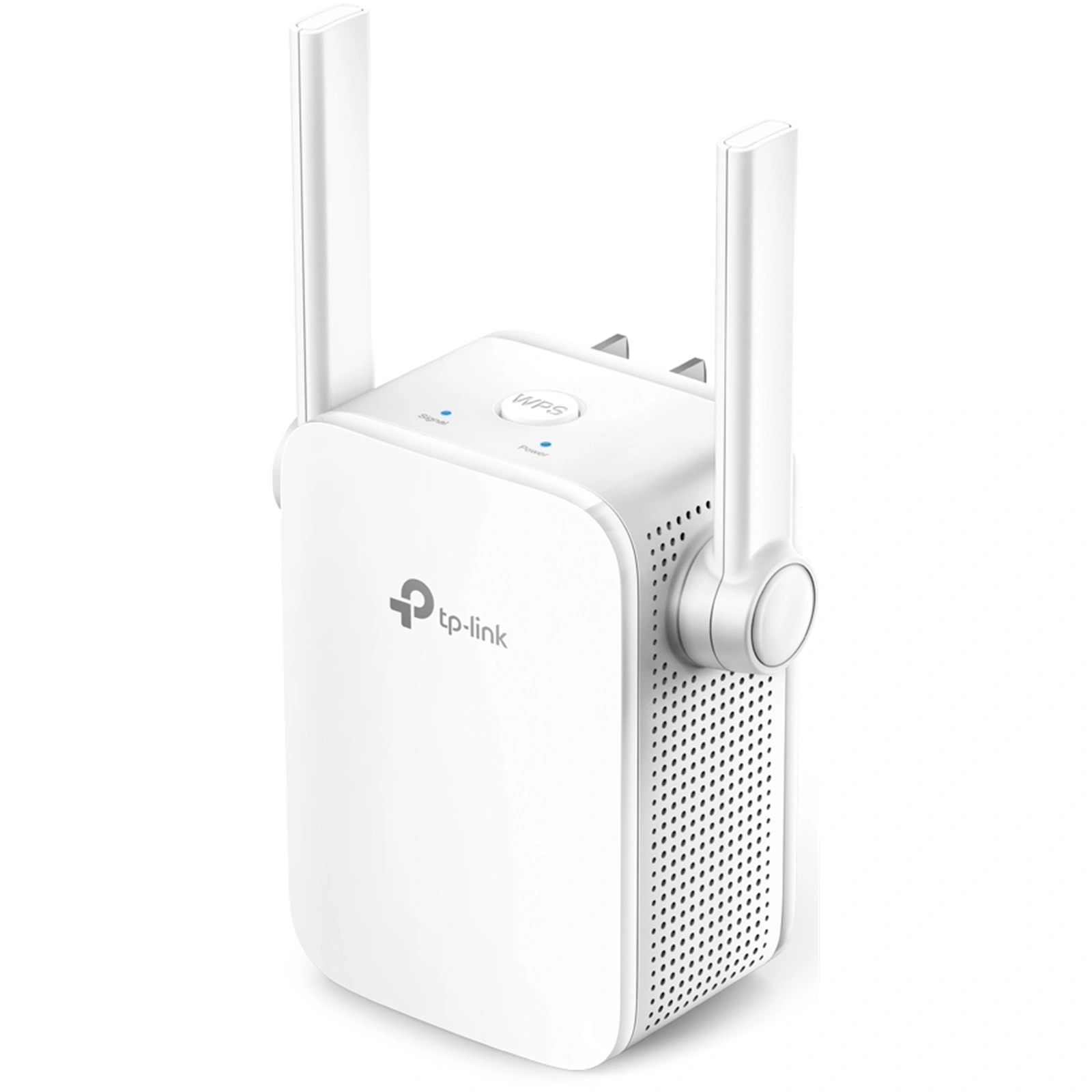
Wireless Range Extender
- Extends the range of a wireless network by acting as a wireless repeater.
- Rebroadcasts radio frequencies from the wireless network it is associated with.
Example: If your Wi-Fi signal doesn't reach the back of your house, a range extender placed halfway can pick up the signal and rebroadcast it to extend coverage.
Note: Range extenders typically halve the available bandwidth since they use the same channel to receive and retransmit.
Routers
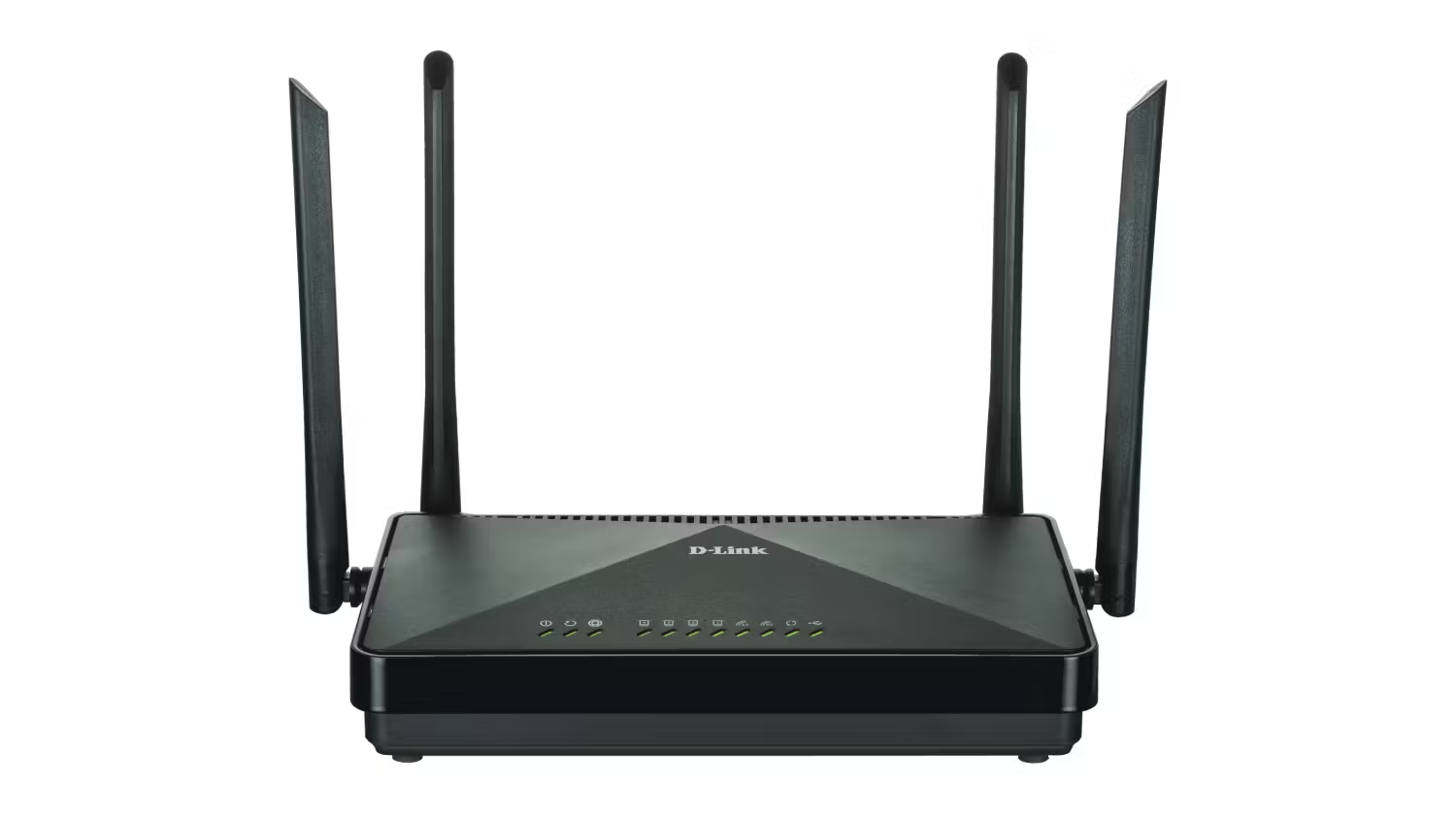
- Used to connect different networks together.
- Routes traffic between networks using IP addresses.
- Uses intelligent decisions (routing protocols) to find the best path to get a packet from one network to another.
- Break up broadcast domains — a broadcast is a message sent to every device on a network (e.g. "Who has this IP?"). Without a router, every broadcast reaches every device, wasting bandwidth. A router stops broadcasts from crossing into other networks, keeping each network quieter and more efficient.
- OSI Layer 3 device (Network layer).
Quick OSI Layer Reference:
- Layer 3 = Router
- Layer 2 = Switch
- Layer 1 = Hub
Networking Devices & OSI Layers
A quick way to remember which device operates at which layer:
Layer 1 — Physical
- Hub — multi-port repeater
- Media Converter — signal conversion
- Wireless Range Extender — signal repeater
Layer 2 & Layer 3
- Switch — Layer 2, uses MAC addresses
- WAP — Layer 2, bridges wired to wireless
- Router — Layer 3, uses IP addresses
Memory tip: "Hub = 1, Switch = 2, Router = 3" — the smarter the device, the higher the layer!
Quiz: Network Devices & OSI Layers
At which OSI layer does a router operate?
Modems (Modulators/Demodulators)
- Modems modulate one signal to another, such as analog to digital.
- For example, modulating a telephone analog signal into a digital signal that a router can understand.
How it works:
- Modulation: Converts digital data from your computer into an analog signal for the phone line or cable.
- Demodulation: Converts incoming analog signals back into digital data your computer can use.
The word "modem" comes from Modulator + Demodulator.
Small Office Home Office (SOHO) Device
- An all-in-one wireless router with expanded capabilities.
A typical SOHO device combines many networking functions into a single box:
- Router — routes traffic between your LAN and the internet
- Wireless Access Point — provides Wi-Fi connectivity
- Firewall — basic network security
- Switch — wired Ethernet ports for devices
- DHCP Server — automatically assigns IP addresses
- NAT Device — translates between private and public IPs
Example: The Wi-Fi router in your home is most likely a SOHO device doing all of the above.
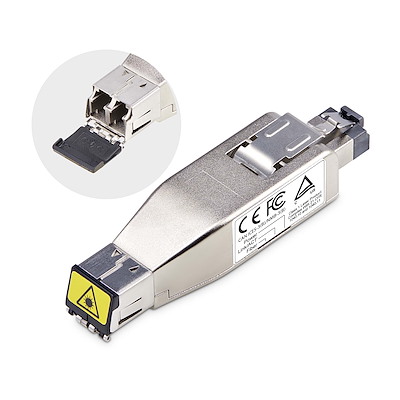
Media Converters
- As the name suggests, a media converter converts one media type to another.
- Layer 1 device — performs physical layer signal conversion only.
- Ethernet to fiber optic media converters are commonly used.
Example: An office building may use copper Ethernet cabling inside offices but fiber optic for the backbone between floors. A media converter bridges these two media types.
Network Security & Services
Firewalls, DHCP & VoIP
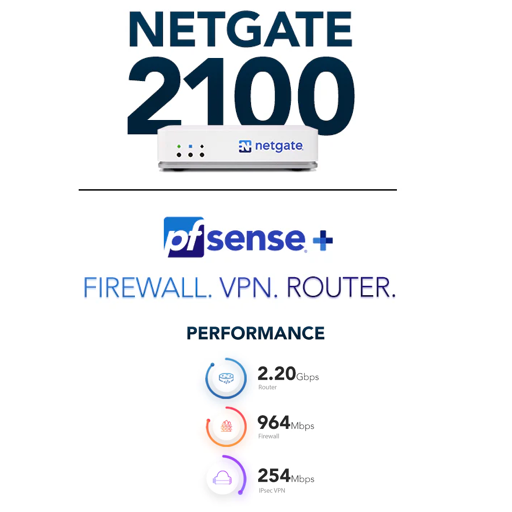
Firewalls
- Firewalls are the foundation of a defense-in-depth network security strategy.
- They protect your network from malicious activity on the Internet.
- Prevent unwanted network traffic from different networks from accessing your network.
- Firewalls do this by filtering data packets that go through them.
- They can be:
- Network-based (hardware) — a standalone network device
- Host-based (software) — software running on a computer system (e.g., Windows Firewall)
Types of Firewalls
1st Generation — Packet Filtering
- Most basic type of firewall
- Uses simple filtering rules (IP addresses, port numbers, protocols)
- Fast but limited in what it can detect
2nd Generation — Circuit-Level
- Monitors valid/invalid TCP sessions
- Verifies that TCP handshakes are legitimate
- More intelligent than packet filtering
- Analogy: Like a nightclub bouncer — not only checks your ID at the door (packet filtering), but also watches how you entered. Did you come through the front door properly (complete TCP handshake), or did you sneak in through a window? If your "entry process" wasn't legit, you get kicked out.
3rd Generation — Application Layer / NGFW
- Next-Generation Firewalls (NGFW)
- Inspects actual application data (Layer 7)
- Much more advanced — can detect malware, intrusion attempts, and more
- Covered later in the course
- Analogy: Like an airport security checkpoint — they check your ID (packet filtering), verify your boarding pass is valid for this flight (circuit-level), and open your bags to inspect what's inside. They can spot prohibited items even if you look perfectly normal on the outside.
Quiz: Firewalls
Which generation of firewall monitors valid/invalid TCP sessions?
DHCP Server
- Dynamic Host Configuration Protocol (DHCP) Server.
- Automatically assigns IP addresses to hosts on the network.
- Makes administering a network much easier — no need to manually configure each device.
- An alternative is static IP addressing, where you manually assign an IP to each device.
Example: When you connect your phone to Wi-Fi, a DHCP server automatically gives it an IP address like 192.168.1.105 — you don't have to type it in yourself.
Try It Yourself — Find Your IP Address
- Windows: Open CMD and type
ipconfig - Mac/Linux: Open Terminal and type
ifconfigorip a - Look for IPv4 Address — that's the IP your DHCP server assigned to you.
Can You Get a New IP from the DHCP Server?
- Yes! You can release your current IP and request a new one:
- Windows:
ipconfig /releasethenipconfig /renew - Mac:
sudo ipconfig set en0 DHCP(or use System Settings → Network) - Linux:
sudo dhclient -rthensudo dhclient - This is useful when troubleshooting network issues or when moving between networks.
Voice over IP (VoIP) Endpoints
- Most modern phone systems run over IP networks via dedicated protocols, such as the Session Initiation Protocol (SIP).
- Used in both home and office environments.
- VoIP endpoint devices can be:
- Hardware — dedicated VoIP phones (e.g., Cisco IP phones)
- Software — applications like Cisco Jabber, Microsoft Teams, or Zoom
Example: When you make a call on Microsoft Teams or Zoom, you're using VoIP — your voice is converted to data packets and sent over the internet.
Quiz: Network Services
What does a DHCP server automatically assign to hosts?
Week 2 Summary
Network Topologies
- Physical vs. Logical topologies
- Wired: Bus, Ring, Star, Mesh
- Wireless: Ad Hoc, Infrastructure, Mesh
- Star topology is the most common today
Networking Devices
- NIC — connects devices to the network
- Hub (L1) → Switch (L2) → Router (L3)
- WAP — bridges wired & wireless
- Firewall — network security foundation
- DHCP — automatic IP addressing
- SOHO — all-in-one home device